 Graphite
Guides / 11 of 13
A Daily Writing Habit
Daily goals, streaks, a year at a glance and timed sprints.
Writing a little every day beats writing a lot once in a while. Graphite keeps score quietly, without nagging.
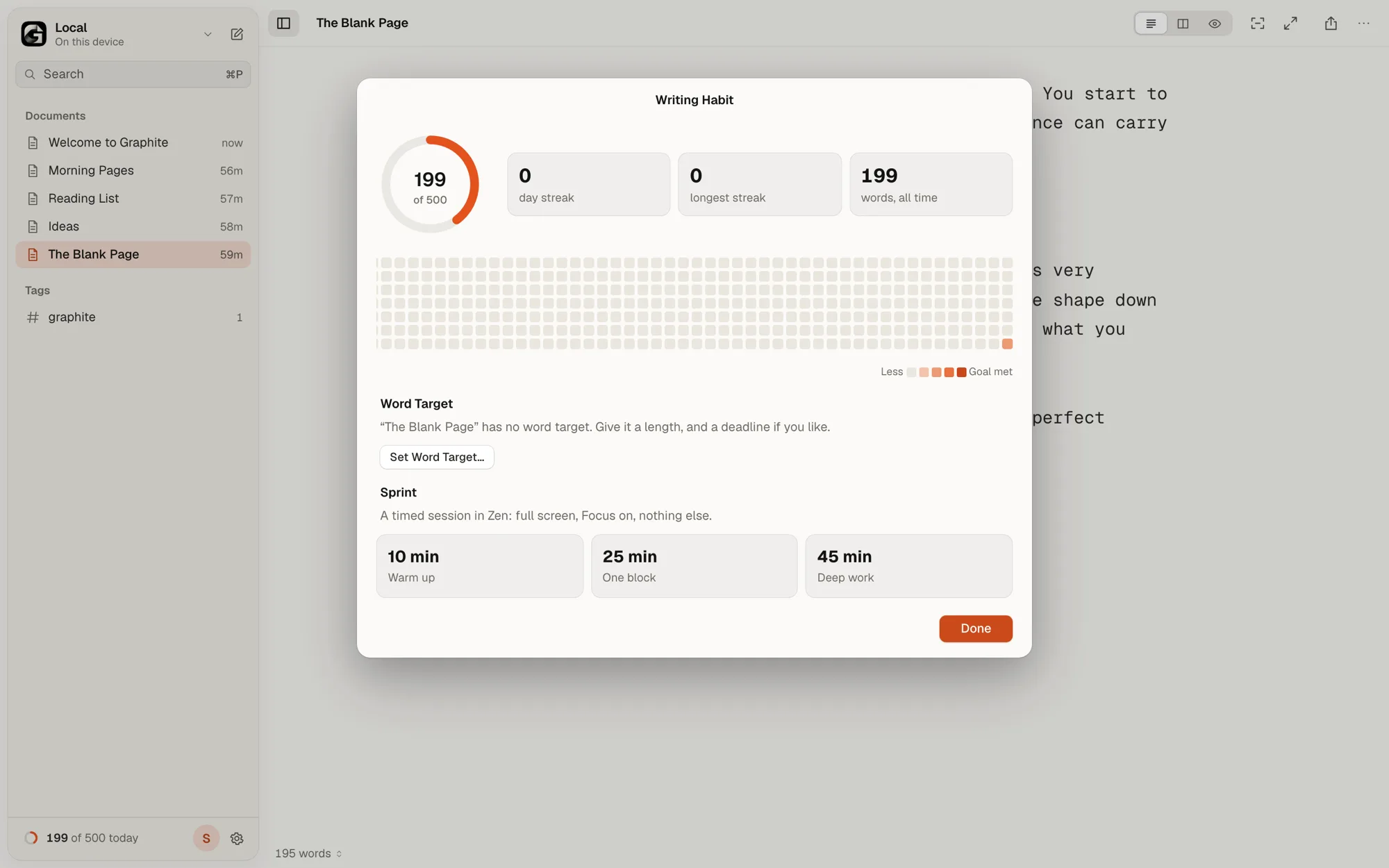
Daily goal
The default goal is 500 words. Change it under Settings › General. The ring at the bottom of the sidebar fills as you write. Open the full Writing Habit sheet from the More menu or the Command Palette.
What counts
- Only words you type yourself. Pasted text and text credited to someone else don’t count.
- Deleting never takes words away from today’s total.
Streaks and the year view
With the Google Drive library, your history syncs between devices: words written on your laptop and your phone add up, and are never counted twice.
Your streak is the number of days in a row you’ve reached your goal. If you haven’t reached it yet today, yesterday’s streak still stands. The heatmap shows the past year, one square per day, filled in more strongly the closer you got to your goal. You’ll also see your longest streak and your all-time word count.
Sprints
A sprint is a timed session in Zen, with Focus on and nothing else on screen. Pick one in the Writing Habit sheet:
- 10 minutes: a warm-up.
- 25 minutes: one block.
- 45 minutes: deep work.
A countdown shows the time left, and you can end the sprint early by clicking it. At the end you’ll see how many words you wrote and your pace per minute.
A target for one document
The daily goal counts everything you write. For one piece, such as a 2,000-word essay due on 30 November, choose Set Word Target… from the document’s title. The status bar shows your progress and the words a day you need, and the Writing Habit sheet shows it under Word Target. More in Write a Long Piece.