 Graphite
 New in 1.5 Pages inside pagesSee what’s new
Founding price Pro Lifetime is $29₹1,999 until 13 November, then $59₹3,999$29₹1,999 until 13 November
Product Hunt Graphite launches today. Tell us what you thinkLaunching today
A quiet place to write.
Graphite is a focused Markdown writing app for anyone who writes long: essays, notes, theses and books. One sentence in focus at a time, plain files you own, and nothing lost, even offline.
- No account
- Nothing to install
- Works offline
In Chrome, Edge, Safari, Firefox and Arc. Installs as an app.
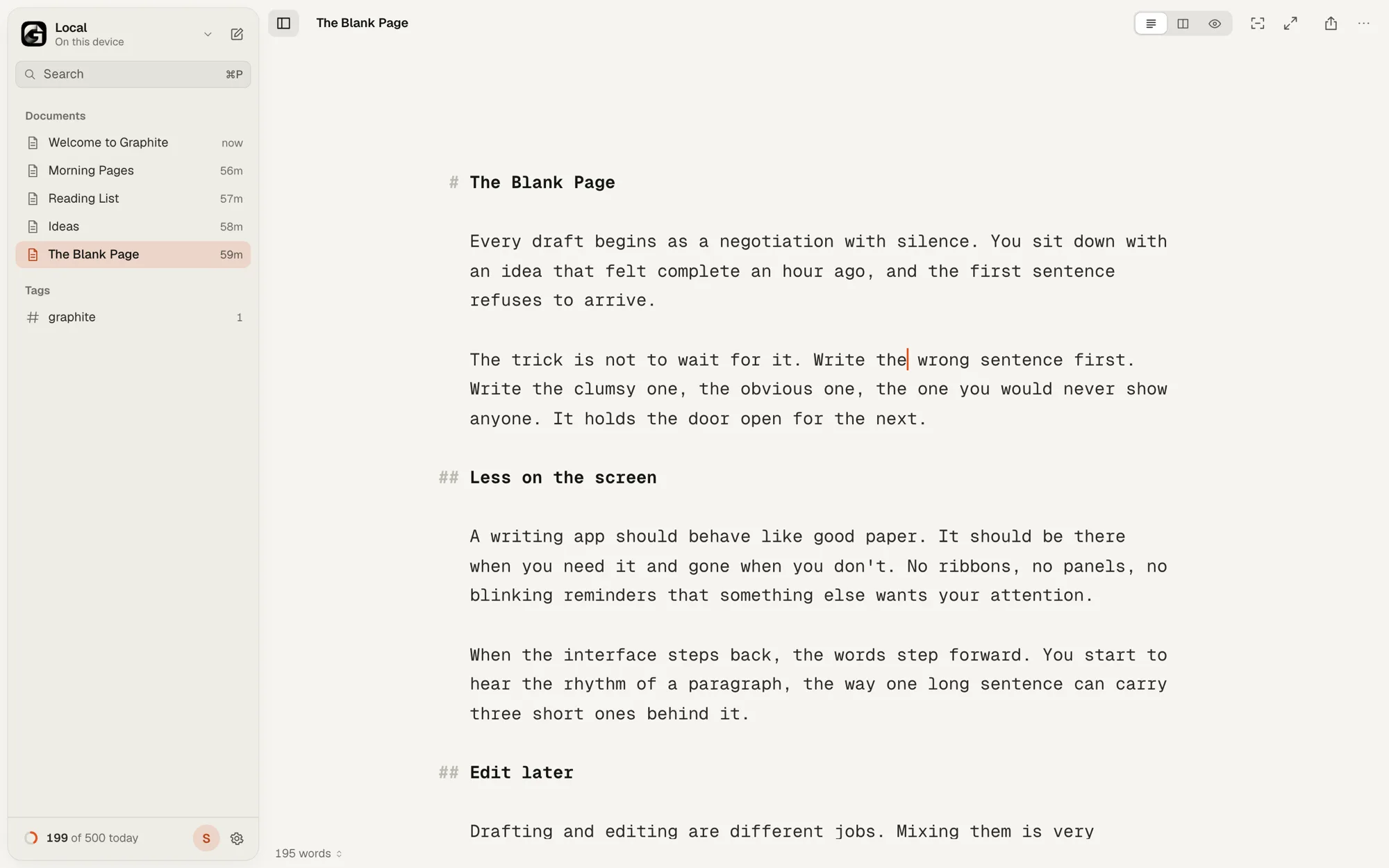
Fifteen seconds of Graphite.
[[, and Side by Side preview. With a quiet music track; the sound stays off until you turn it on.Type below. Watch the page go quiet.
This is Focus, running right on this page. Click into a sentence or start typing, and everything else steps back. Nothing you type leaves your browser.
In the app, Typewriter keeps your line in the middle of the screen and Zen hides everything else. Start writing, free. No account needed.
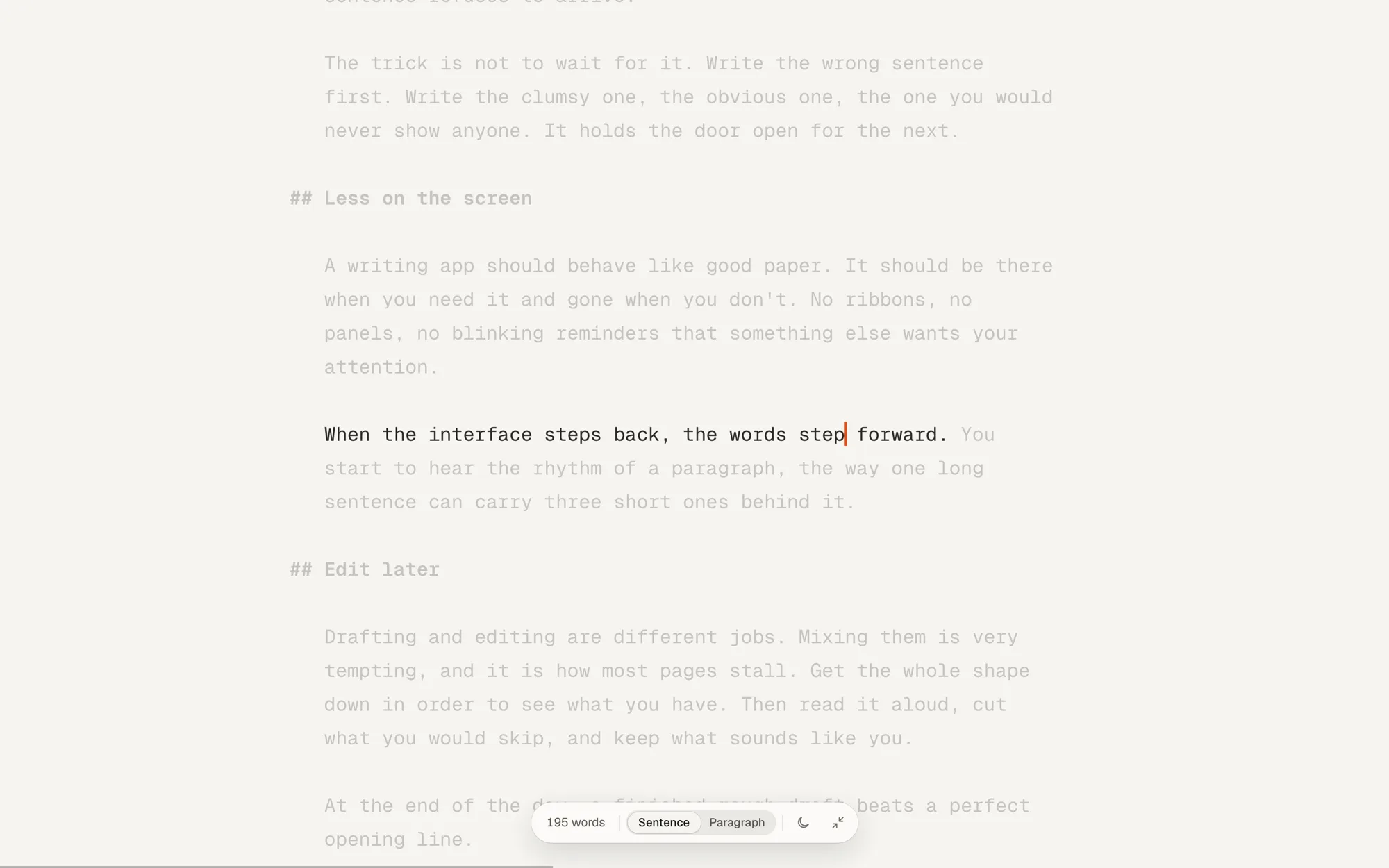
Let the page go quiet.
When you start typing, Graphite gets out of the way. The library slides aside, the toolbar fades, and the sentence you’re on is the brightest thing on screen.
- Focus ⌘DDims everything but the current sentence, or the current paragraph if you’d rather see more.
- Typewriter ⌥⌘THolds your line at the centre of the screen while the page moves past it.
- Zen ⇧⌘FFull screen, Focus and Typewriter together. Move the mouse to bring the controls back.
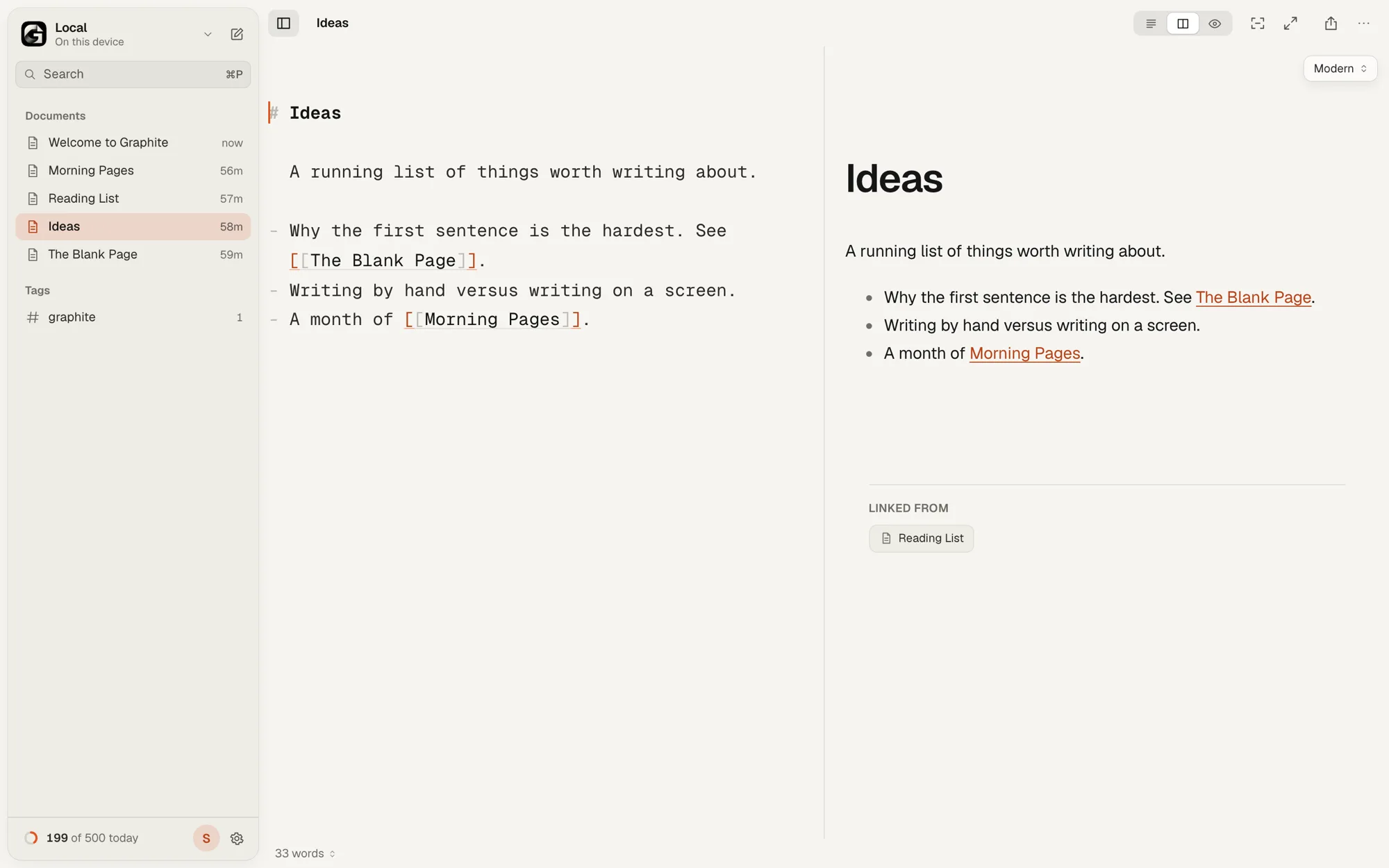
One thought leads to the next.
Type [[ and the name of another document to link to it. Graphite keeps track of the connections both ways, and it’s free for everyone.
- Follow ⌘↩⌘-click a link to open it, or to create the document if it doesn’t exist yet.
- Linked FromPreview lists every document that links to the one you’re reading.
- Rename safelyRename a document and Graphite offers to update every link to it.
- Pages inside pages NewAdd a subpage to any page and it nests beneath it in the library, as deep as you like. Still a plain Markdown file, with a folder beside it.
Same writing, every device.
The first time you open Graphite, choose where your writing lives. Every document is a plain Markdown file, and Graphite’s servers never receive it.
- Continue with GoogleSign in once, and your documents, writing streak, settings and favourites sync through your own Google Drive. Graphite can only see the files it creates.
- Use on This DevicePrivate and offline, in your browser. No account at all.
- Use a Folder on Your ComputerIn Chrome, Edge or Arc, write straight into Markdown files in a folder you pick.
- One streak, every deviceWords written on your laptop and your phone add up, never double. Switch any time from the library menu or Settings › Account › Sync.
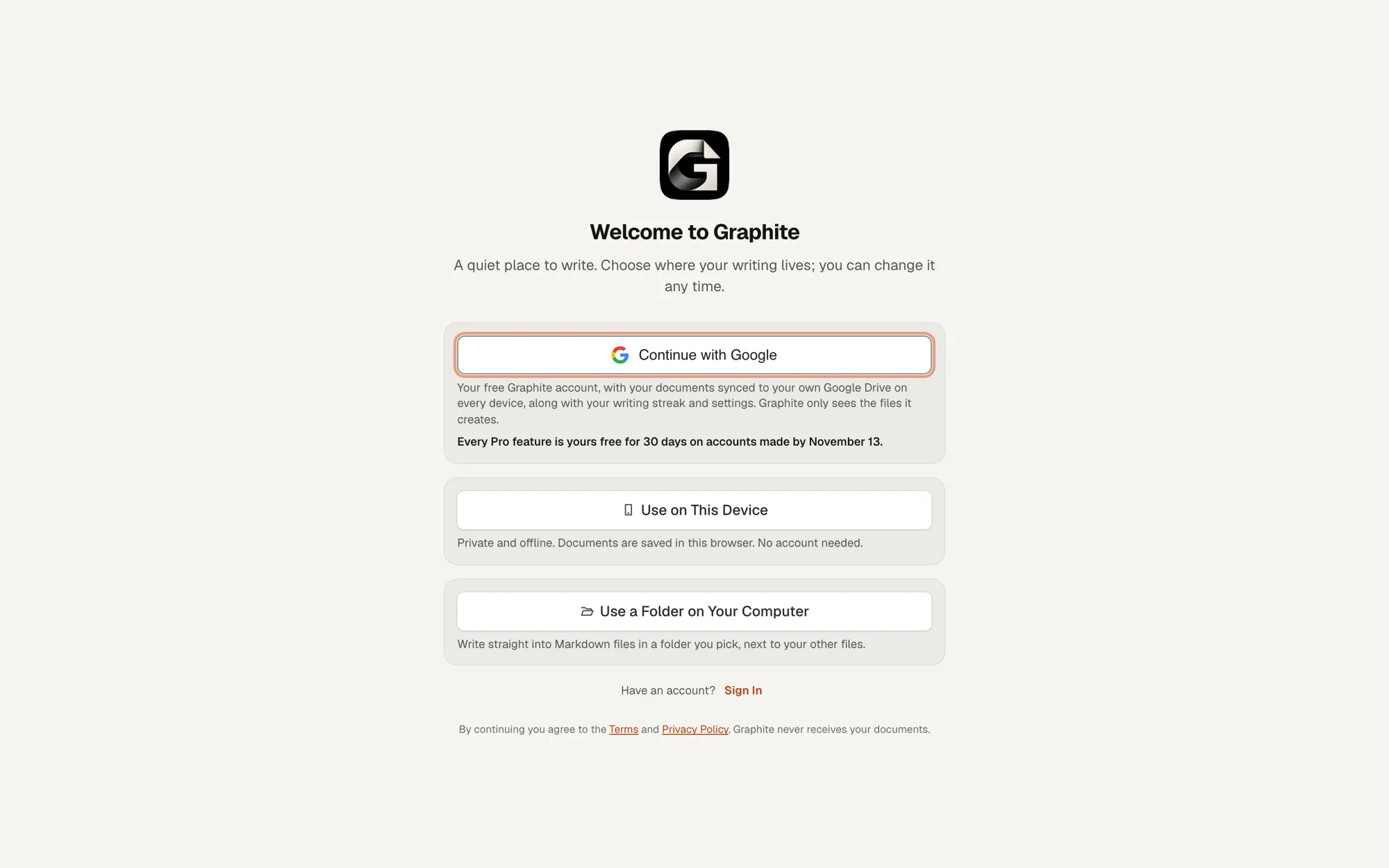
Sign in once. Pro follows you.
Writing never needs an account. When you want sync or Pro, there’s one way in, for new and returning writers alike.
- Google, an email code or a passkeyOne sheet, two buttons. Saved passkeys appear right in the email field, so there’s nothing to type.
- Your email is your keyPay with the email you sign in with and Pro is on that account, on up to 5 devices. No license keys to paste or lose.
- Bring your documents alongChoose to sync with Google Drive and Graphite copies what’s on this device into Drive, keeping the originals too.
- Safe by defaultTwo-step sign-in, a list of signed-in devices, and recent activity, all in one simple Account page.
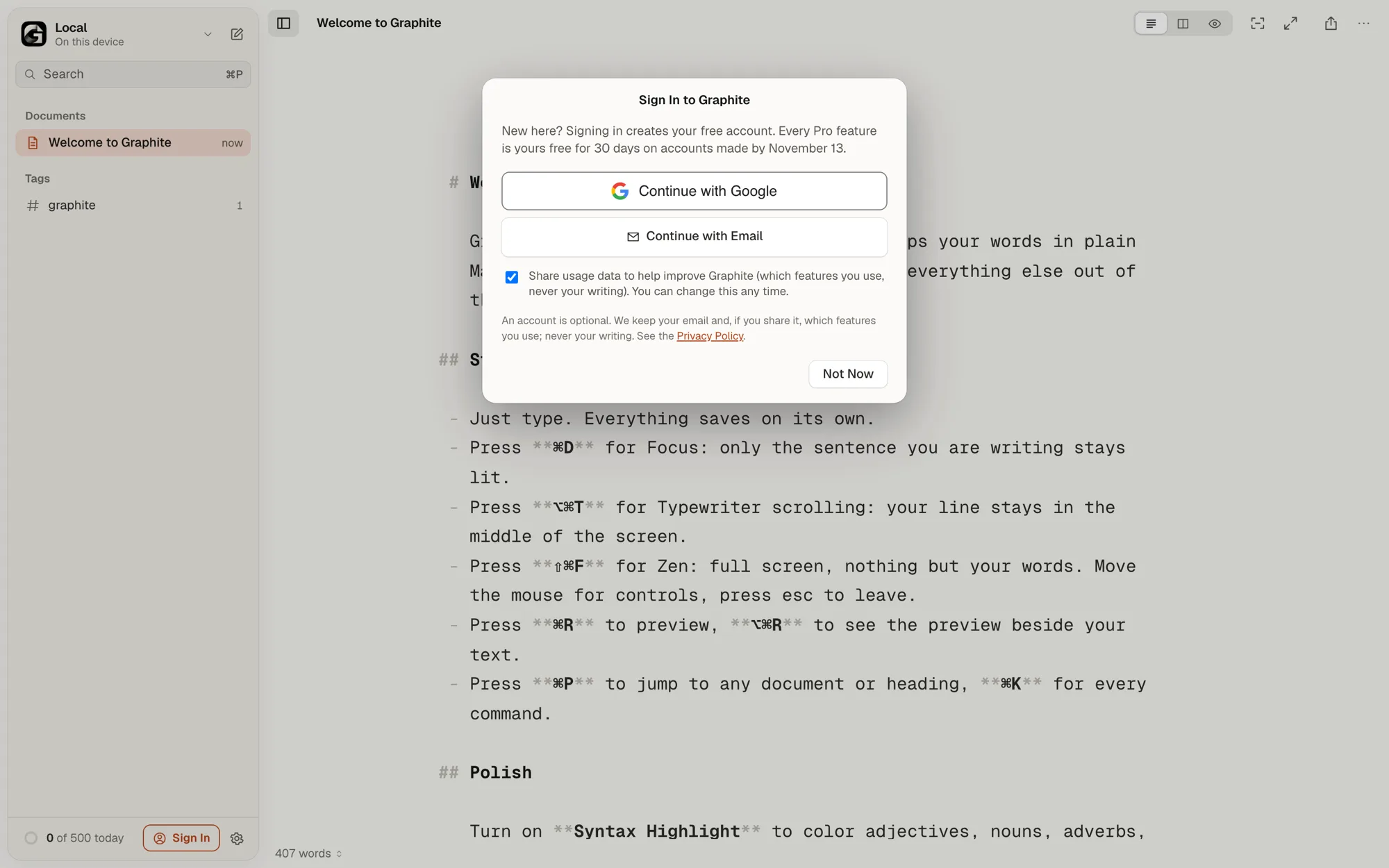
From first note to finished book.
A thesis, a novel or an essay series lives in many documents and takes many weeks. Graphite keeps count, keeps the drafts, and keeps the chapters in order. Writing with them is free, and everything stays in your own files.
Word targets and deadlines
Choose Set Word Target… and give a piece a length and a date. The status bar shows “1,240 of 2,000” and the words a day you need to make it.
Compare two versions
In Version History, see what changed between any two drafts, word by word, side by side or inline. Then Restore This Version if you liked it better.
Paste from the web
Copy from a web page, a Google Doc or Word and it pastes as clean Markdown: headings, links, lists and emphasis, without the clutter. Paste as Plain Text when you want just the words.
Quick capture
Share text or a link from another app into the installed Graphite, and it asks before saving it as a document. New Draft opens straight to a blank page.
Manuscript
Choose Make Manuscript… on a folder and its documents become chapters. Drag them into order and preview them as one. Print, PDF and Word are Pro, as for any document.
Still plain Markdown
A target is two lines at the top of the document, and a manuscript’s order is a list of links in a _manuscript.md file in the folder. Nothing new reaches our servers.
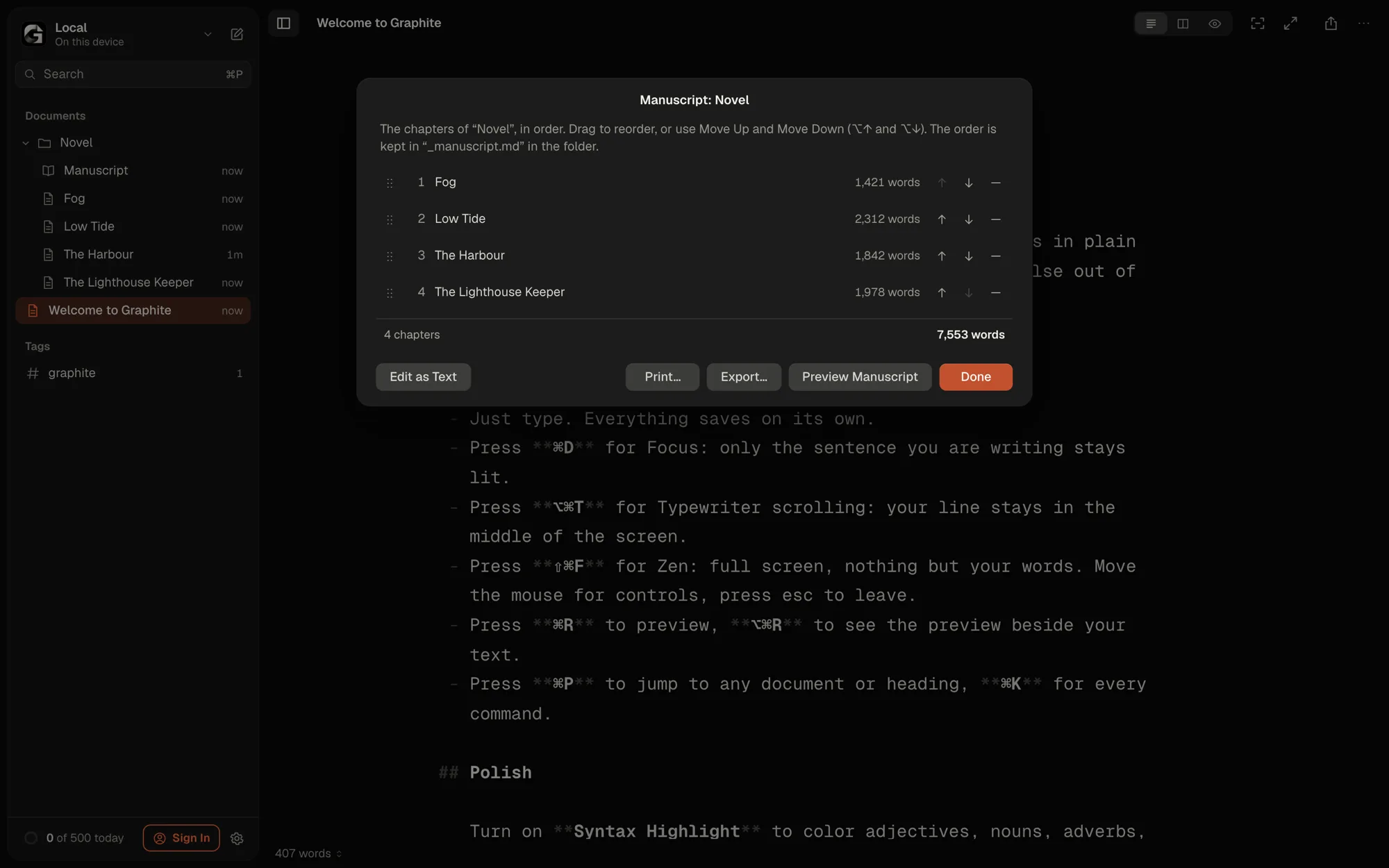
Built to keep your work safe.
A writing app has one job before all others: don’t lose anything. Graphite is careful at every step, and none of it costs extra.
Autosave
Saves a moment after you stop typing, and again when you switch away. There’s no Save button to forget.
No silent overwrites
If another tab or app saved a newer copy, Graphite keeps both instead of choosing for you.
Recovery
If a save fails or the browser crashes, your unsaved text is kept on the device and offered back.
Recently Deleted
Deleted documents wait thirty days before they’re gone.
Version History
Snapshots as you write. Look back, compare, and restore an earlier draft.
One-click backup
Save your whole library as a .zip of Markdown files, and bring it back the same way.
Themes, type and finished pages.
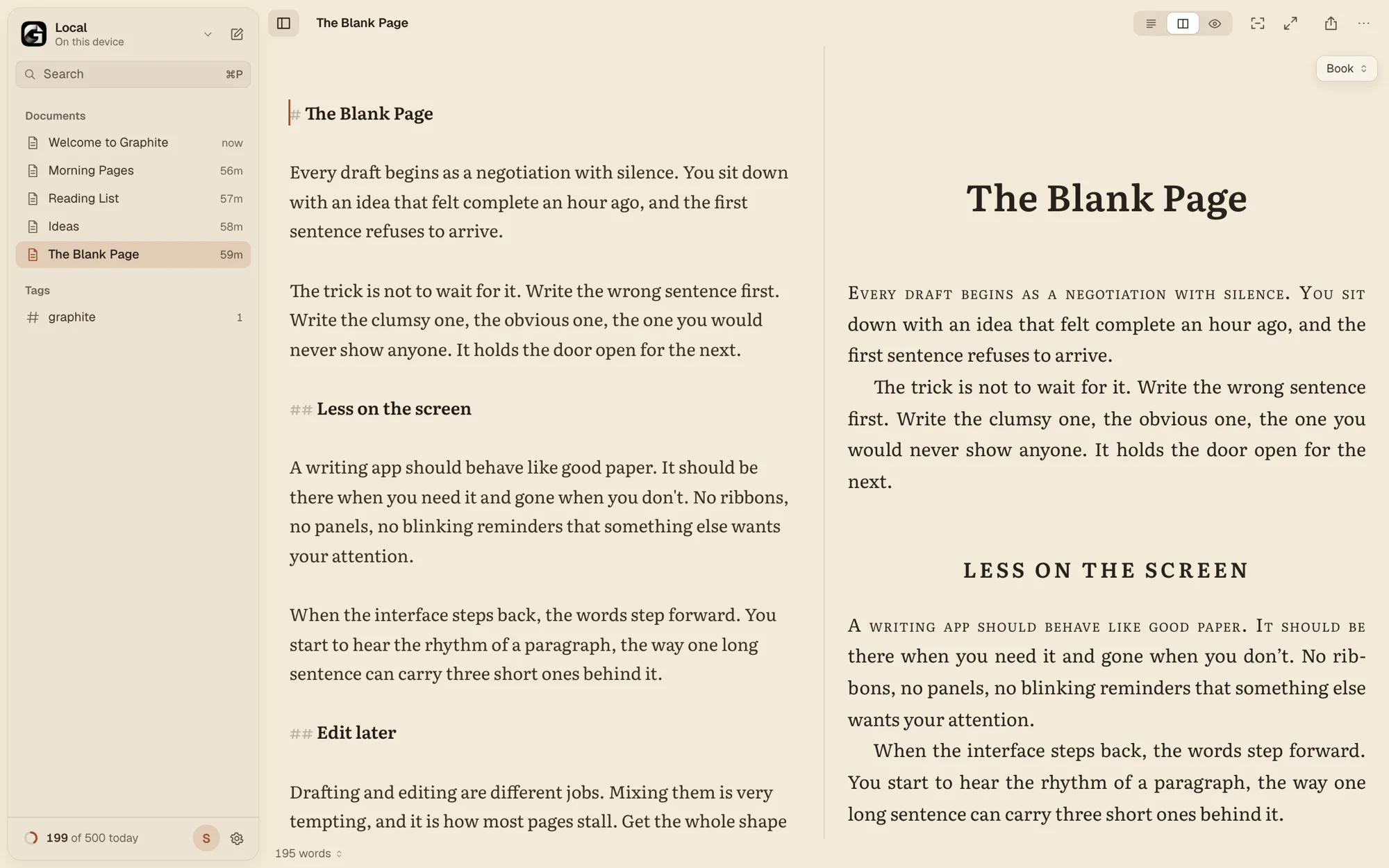
Pro adds seven colour themes, four typefaces and six styles for preview and export. You can also mix your own theme from three colours, and Graphite keeps it readable.
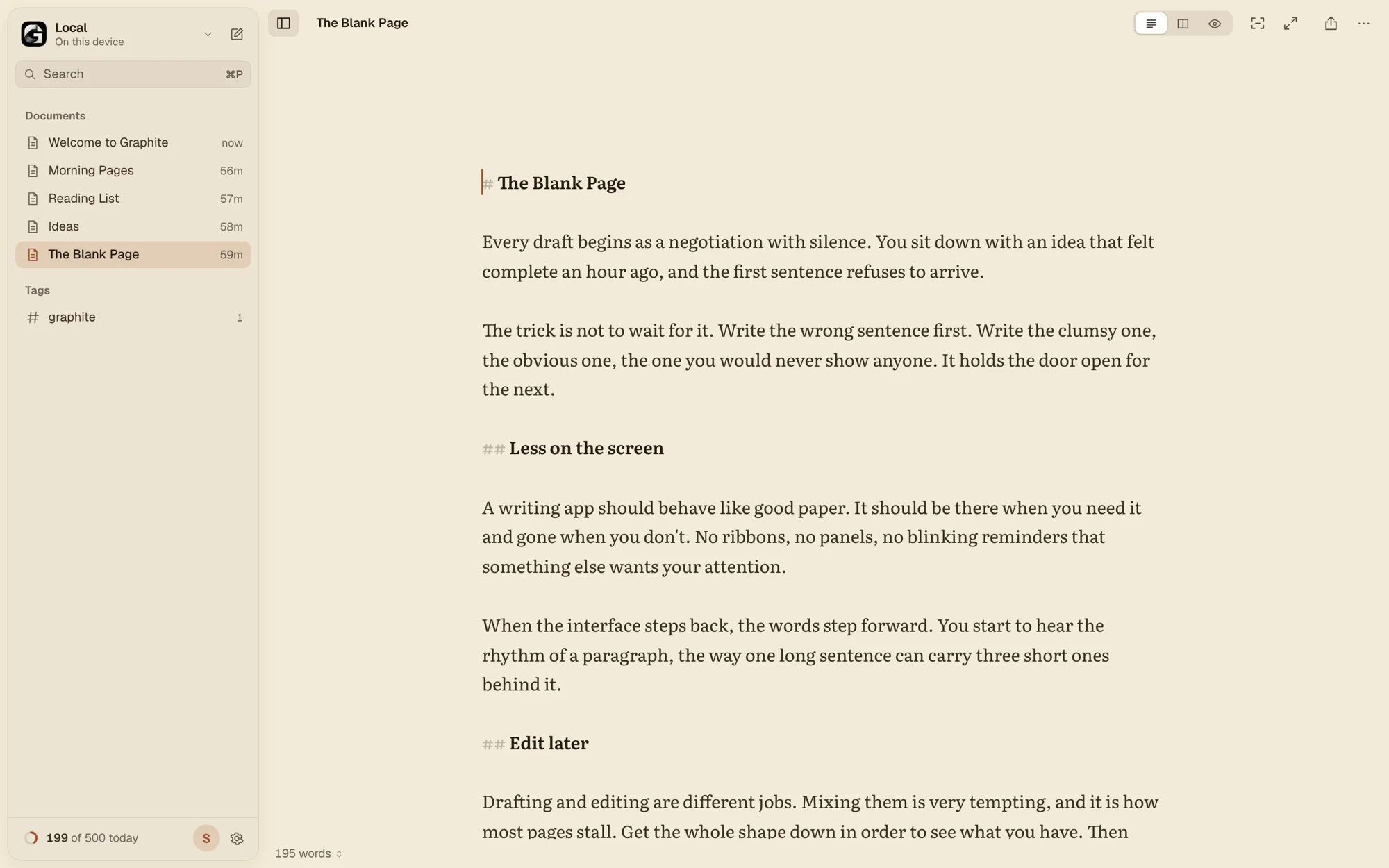
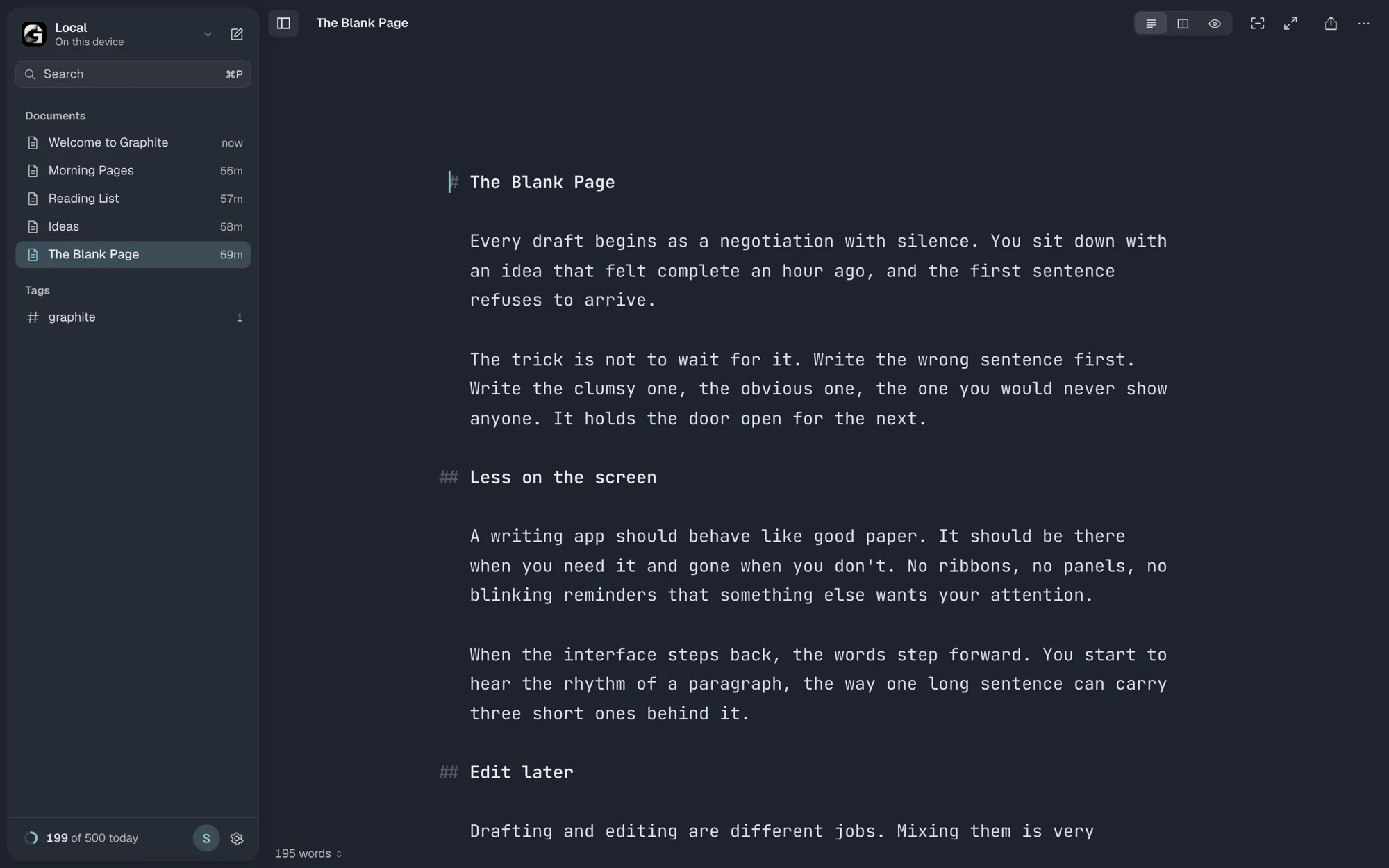
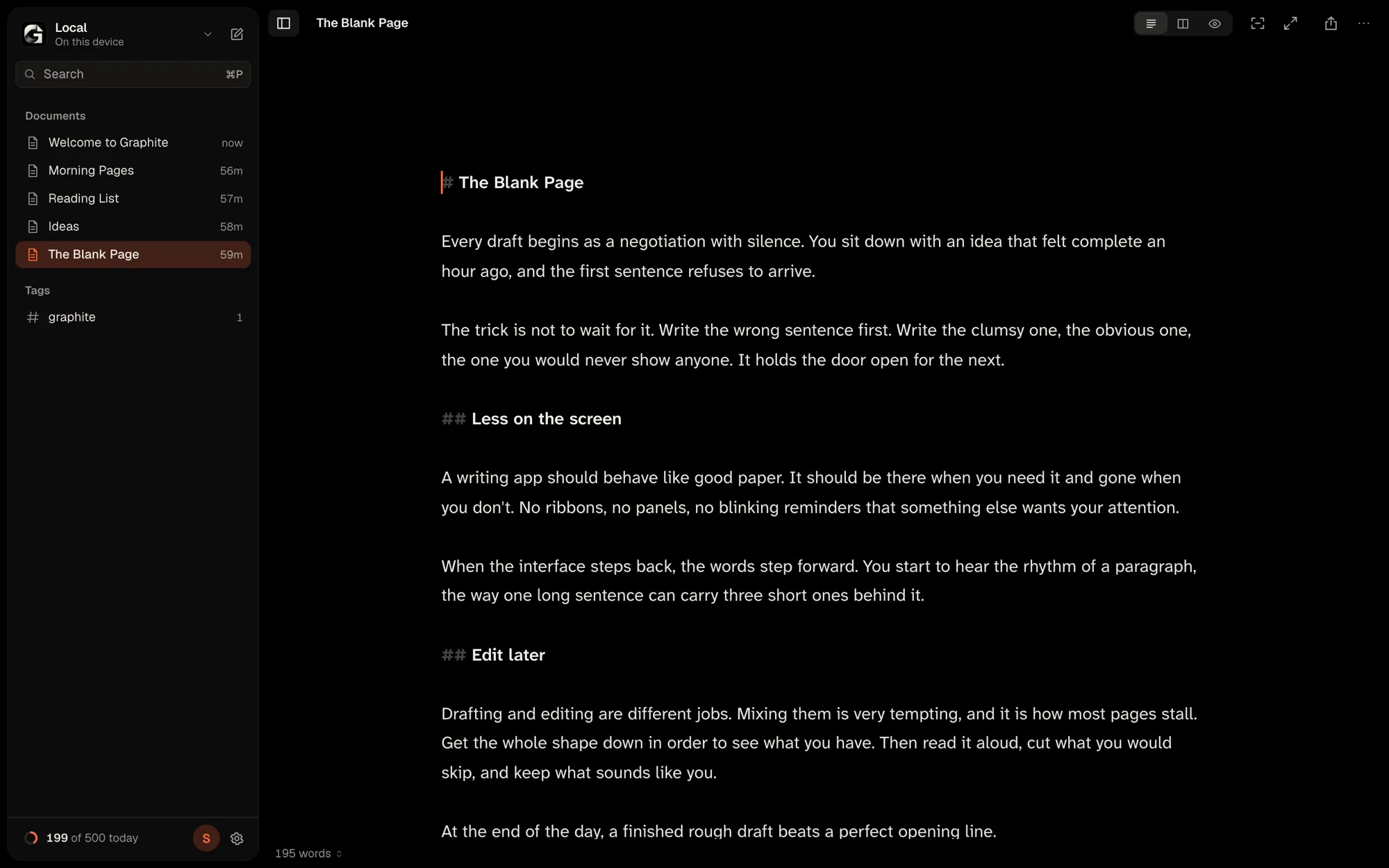
- Book, Essay, Academic and morePreview, print and export in a style that suits the piece: a printed page, a newsletter, a paper or a typed manuscript.
- Editing toolsSyntax Highlight shows how sentences are built. Style Check flags filler, clichés and repetition. Neither rewrites a word.
- Word, PDF and blog postsWord and PDF for a whole manuscript too. Plus the full Version History, Show Authors and your own keyboard shortcuts.
- Try before you buyPick any Pro theme, typeface or style and Graphite shows it on your own writing straight away. Keep it with Pro, or go back with one click.
Quiet enough to keep writing.
I really enjoyed the writing experience of Graphite. A delight to use after Google Docs. Congrats on the level of the UI polish.
Your words stay yours.
Graphite is designed and built by AROICE, in India. It’s made so you never have to take that on trust.
Plain Markdown files
Open them in any editor, today or in ten years. Nothing is locked inside Graphite.
Never on our servers
Documents live in your browser, a folder on your disk or your own Google Drive.
No account to write
Open it and start. Sign in only when you want sync or Pro.
No ads, no cookies
Cookieless analytics counts page views. It never sees a word you write. Privacy policy.
Works offline
Once it’s loaded, Graphite keeps working without a connection, and saves as you go.
7-day refund
Pro comes with a full refund within seven days, no questions asked. Refund policy.
Questions, ideas and bug reports are always welcome: graphite@aroice.in · About Graphite

Write alongside other writers.
Join the Graphite Discord: share what you’re working on, swap tips, ask for help, suggest what we build next and hear about releases first. You’ll get the Writer role when you join.
Free to write. Pro once.
Writing, saving and backups are free for everyone, for good. Pro Lifetime is one payment, $29 at the founding price until 13 November$59, yours for good. No subscription required.
Sign up free, and every Pro feature is yours for 30 days. Open to new accounts until 13 November 2026. Sign up with Google or with a code sent to your email. No card, no key, nothing to cancel. When the trial ends, Pro features pause and your documents and settings stay as they are.
Sign up freeGraphite
Everything you need to write, keep and share your work.
No account needed.
- Writing, with autosave, recovery and Recently Deleted
- All three places to keep your files: browser, folder or Google Drive
- Focus, Zen and Typewriter
- Links between documents, with Linked From
- Pages inside pages, nested as deep as you like
- Preview and Side by Side, in the Plain style
- Markdown and web page export, and share links
- Backups to a .zip of Markdown
- Version History: the latest 5 versions
- Paper, Graphite or Auto appearance
Pro Membership
Or $29₹1,999 a year, about 40% less.
Every Pro feature and every update, while you’re a member.
Cancel any time; it stops at the end of the period you’ve paid for.
- Everything in Graphite, plus all of Pro
Pro Lifetime Founding price
Founding price until 13 November 2026 (23:59 UTC), then $59₹3,999. Buy before then and it’s yours to keep.
Pay once, keep it forever. On up to 5 devices, including every 1.x update.
7-day refund, no questions asked.
- Everything in Graphite, plus:
- Seven colour themes: Sepia, Rosé, Newsprint, Midnight, Fjord, Forest and Ink, or make your own. Every one stays readable.
- Four more typefaces: Literata, Source Serif 4, JetBrains Mono and Atkinson Hyperlegible
- Six preview and export styles: Essay, Modern, Book, Newsletter, Academic and Typewriter
- Syntax Highlight and Style Check
- Show Authors, to see who wrote what, and Paste As and Mark As, to credit text to AI or a source
- Full Version History: up to 40 versions per document
- Word, PDF and blog post export, with numbered PDF pages
- Your own keyboard shortcuts
- No “Written in Graphite” line on the pages you share and the blog posts you export (free accounts carry a small one)
Pro is part of your Graphite account. Pay with the email you’ll sign in with, and Pro is there on every device you sign in on. No license keys. Pay by card or PayPal through Lemon Squeezy, which handles sales tax and receipts. Prices are before local tax, added at checkout where it applies (18% GST in India). Sign up free to try every Pro feature for 30 days.
Prices in US dollars. Checkout shows your local currency and handles tax.
The page is ready when you are.
Graphite runs in your browser. Nothing to download, and no sign-up needed to write.