 Graphite
Guides / 2 of 13
Focus, Typewriter and Zen
Three ways to quiet the screen, and how they work together.
Writing goes better when the only thing in front of you is the sentence you’re working on. Graphite has three tools for that. Use one, or all three at once.
Focus ⌘D
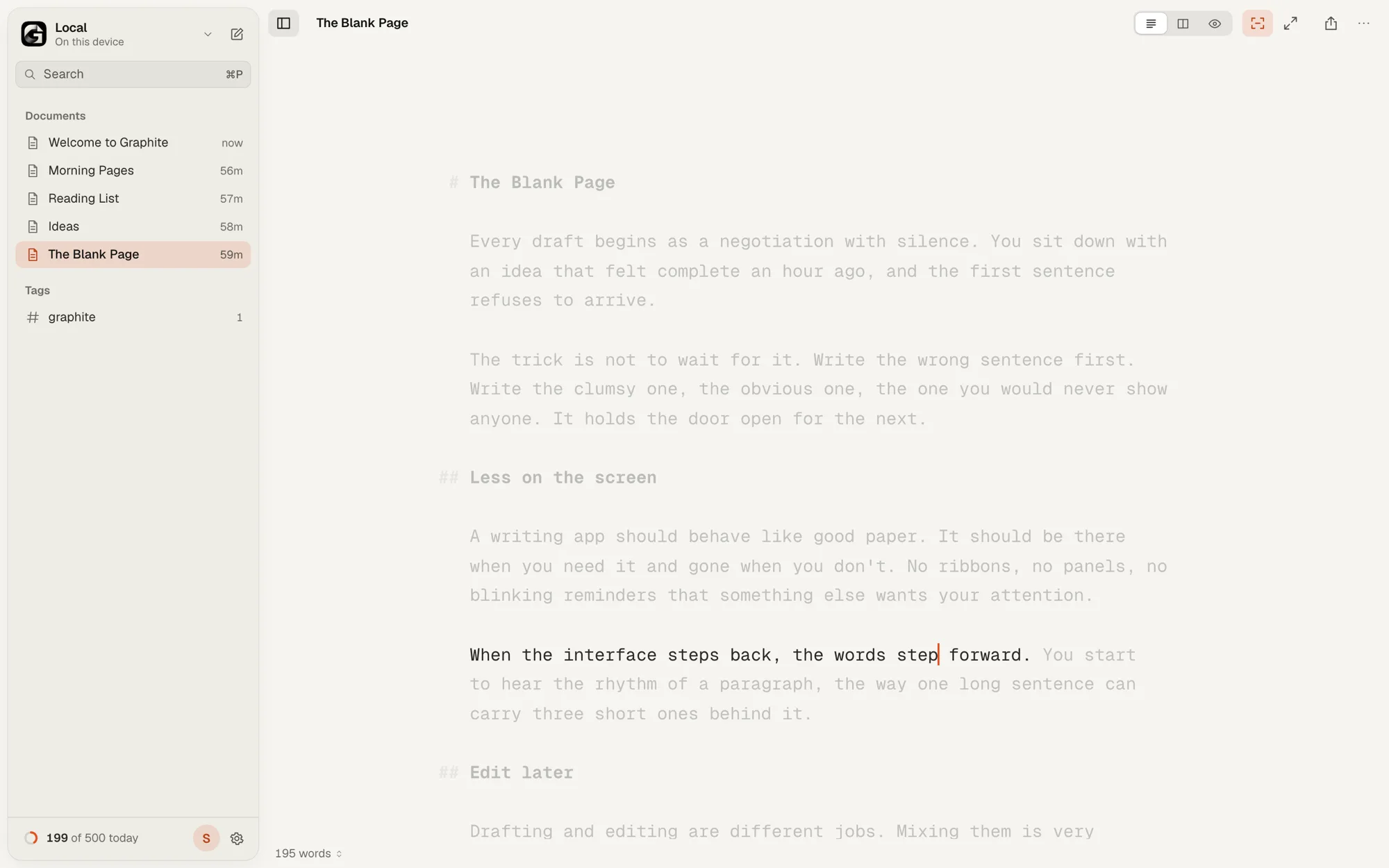
Focus fades everything except the sentence your cursor is in. Prefer to see a whole paragraph? Choose Paragraph under Settings › Editor › Focus, or run Focus on Paragraph from the Command Palette.
A sentence ends at a period, question mark, exclamation mark or ellipsis. Headings, list items, quotes and table rows each count as their own unit.
Typewriter Scrolling ⌥⌘T
Keeps the line you’re writing in the middle of the screen, like paper rolling through a typewriter. It follows you as you type, delete and move with the keyboard. Clicking somewhere with the mouse never makes the page jump.
Zen ⇧⌘F
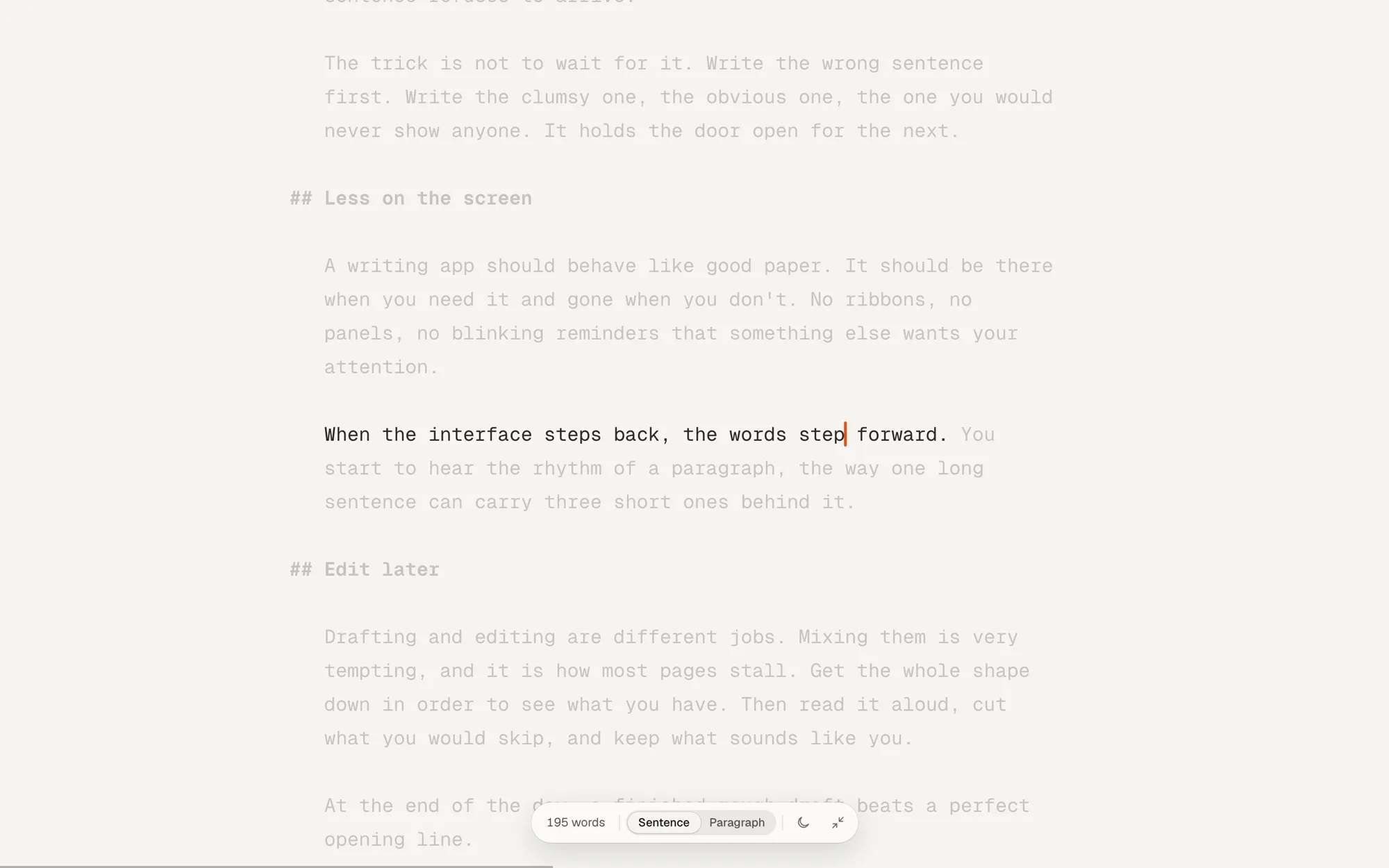
Zen goes full screen, hides the library and turns on Focus and Typewriter together. The text gets a little larger and the caret breathes instead of blinking.
- Move the mouse and a small pill appears with your word count, a Sentence/Paragraph switch and a light/dark switch. It sinks again as soon as you type.
- A hairline along the bottom of the screen fills up as you approach today’s goal.
- On a touch screen, tap the margin to show or hide the controls.
- Press esc to leave.
Want a timer too? A sprint runs in Zen with Focus on. To change the typeface, text size or colours, see Make It Yours.