 Graphite
Guides / 8 of 13
Who Wrote What
Keep a record of which words you typed, which you quoted and which came from AI.
Writing often mixes your own words with quotes, notes and suggestions from AI. Authorship keeps track of where each part came from, so you always know what’s really yours.
Graphite Pro. Tracking is free and on by default. Showing the marks, Paste As and Mark As are part of Graphite Pro. See what’s in Pro.
How text gets credited
- Typing: credited to you.
- Pasting with ⌘V or dropping text: credited to Reference by default. You can change this under Settings › Authorship › Plain paste counts as. A web page pasted as Markdown, a Paste as Plain Text and text shared into the app are credited the same way.
- Paste As ⇧⌘V Pro: choose who wrote what you’re pasting, such as AI or a co-author.
- Mark Selection As… Pro (in the More menu or the Command Palette): re-credit text that’s already there, or clear its marks.
Undo and redo keep the credits correct.
Show Authors ⇧⌘A Pro
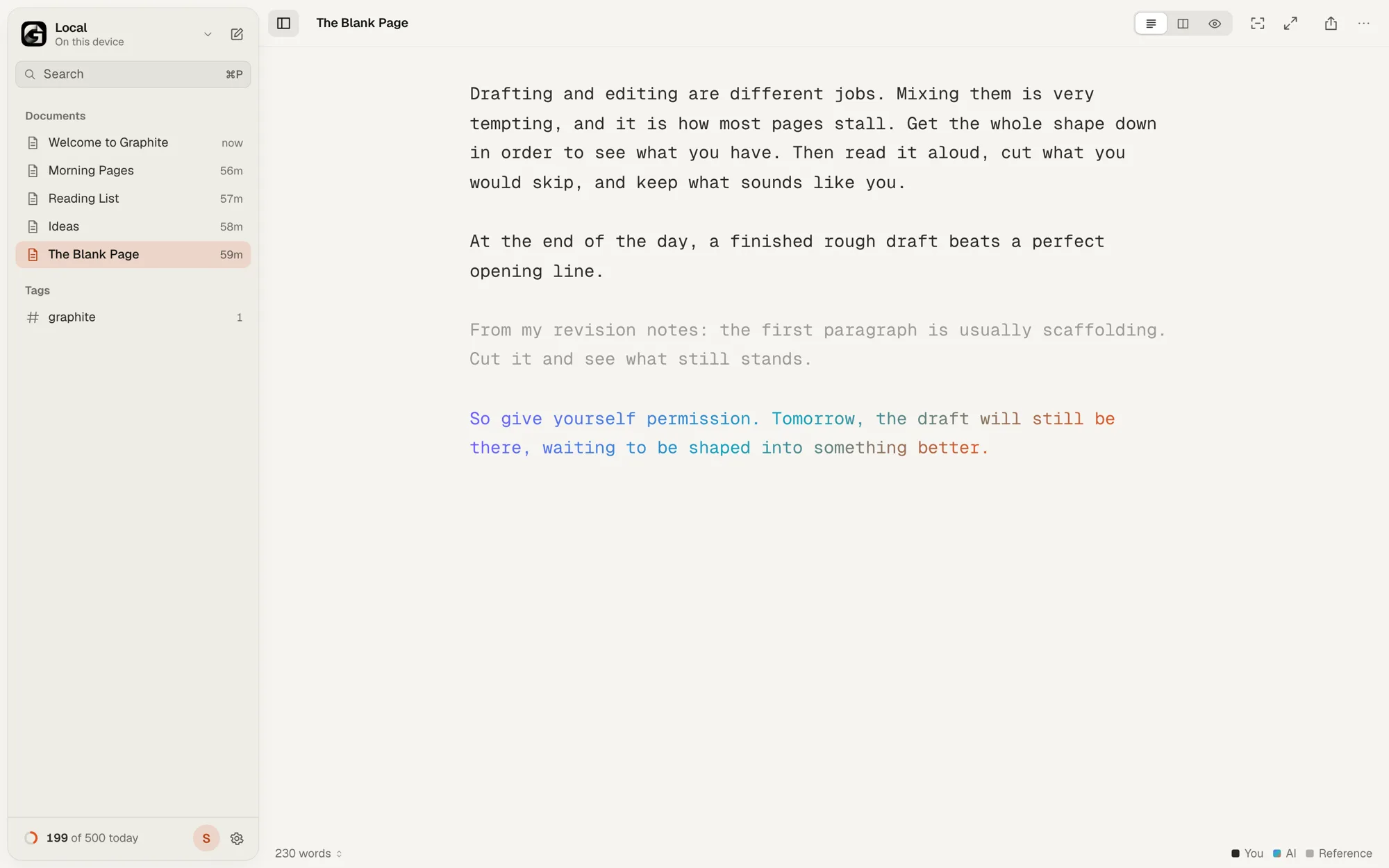
Turns the marks on and off. Your own words stay plain. Text from AI gets a colored gradient, references are faded, and other people get a colored underline. A small legend appears in the status bar.
Authors
Under Settings › Authorship you can add authors of three kinds: people, AI and references. The first person in the list is you. Authorship tracking can be turned off entirely in the same place.
Where it’s saved
Credits are saved at the end of the file in the open Markdown Annotations format, so they travel with your text and other apps that understand the format can read them. If every word is yours, nothing is added and the file stays pure Markdown.
Every export removes the block. If a file was edited in an app that doesn’t understand authorship, the marks may no longer match the text. Graphite then keeps them as plain text at the end of the file and tells you, so you can delete them if you don’t need them.
Words you didn’t type also don’t count toward your daily goal.